
Payments
Know who has paid and who still owes you
Record every payment that comes in or goes out against the right bills. Invoiqo keeps each customer’s and supplier’s balance up to date, so you always know what to collect and what to pay.
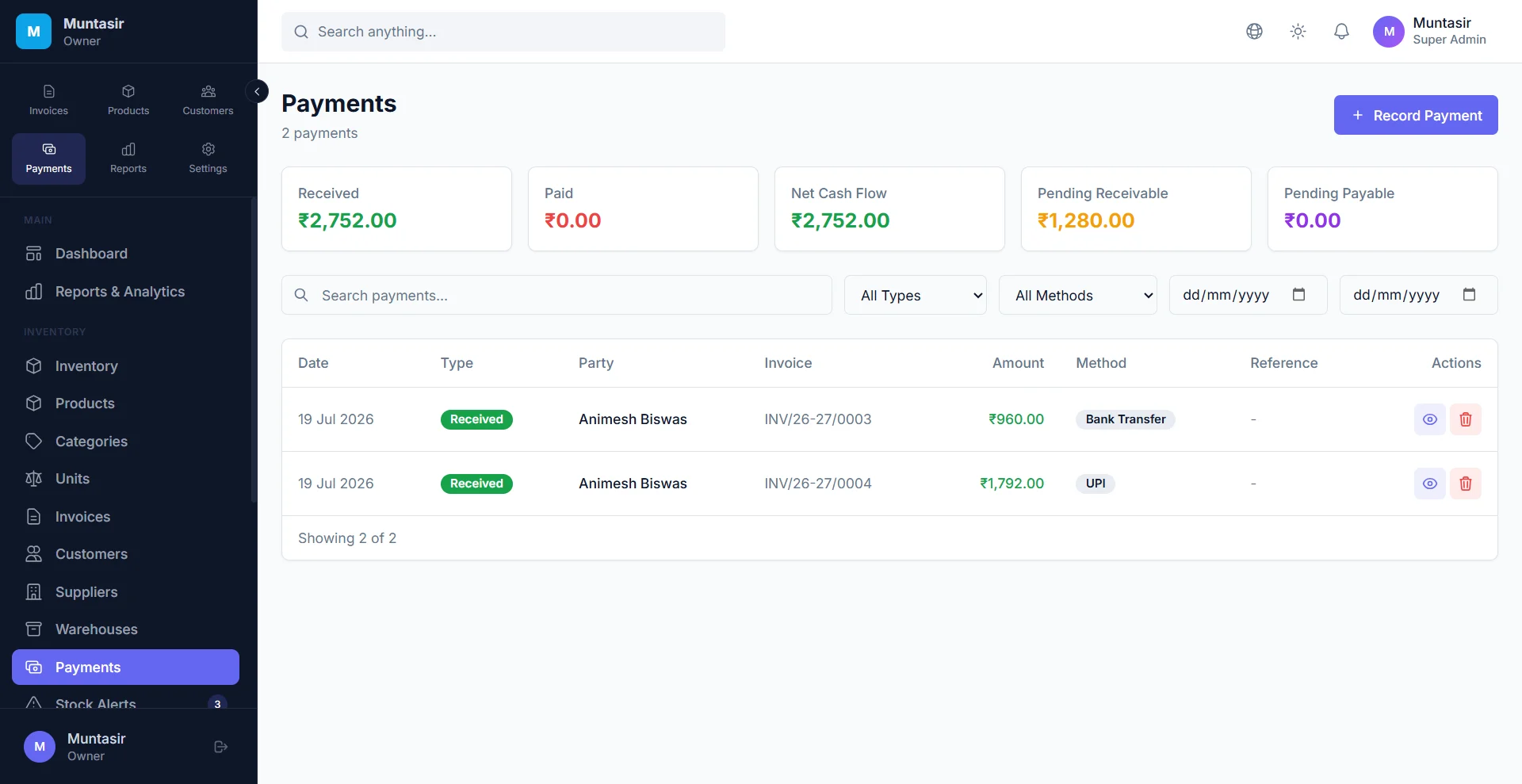
Payments & dues
What you get
Every way your customers pay
Cash, UPI, bank transfer, NEFT, RTGS, IMPS, card and cheque, with the cheque number and date or the transaction reference.
Part payments and advances
A payment settles the chosen bill first, then the party’s other open bills, oldest first. Anything extra is kept as an advance.
Balances for every party
See what each customer owes you and what you owe each supplier, with a full ledger for every party.
Overdue bills flagged
Unpaid invoices past their due date are marked overdue on their own, and the ageing report shows how long money has been pending.
Email reminders
Switch on reminders and customers with an email address get a polite note 1, 7, 15 and 30 days after the due date. On paid plans.
Online payment links
Connect your own Razorpay account and send a payment link for the balance due. When the customer pays, Invoiqo records it against the invoice.
How it works
-
Record the payment
From the invoice or the Payments page, enter the amount, date and mode.
-
Invoiqo settles the bills
The invoice becomes part-paid or paid, and the party’s balance and your books update.
-
See what is pending
The dashboard and the outstanding and ageing reports show who owes what.
-
Follow up
Send a payment link or let the automatic email reminders do the chasing.
Frequently asked questions
How do I record a part payment against an invoice?
Open the invoice and record a payment for the amount received. The invoice shows as partly paid with the balance still due. Record the next payment the same way when it comes in.
Can my customers pay me online through Invoiqo?
Yes, if you have a Razorpay account. Add your own Razorpay keys in Settings and create a payment link from the invoice. The money goes straight to your Razorpay account, and Invoiqo records the payment when Razorpay confirms it.
How do I see which customers owe me money?
The dashboard shows the total to collect. The party outstanding report lists every customer with a balance, the receivable ageing report shows how old each due is, and the party ledger shows every bill and payment.
Can I set a credit limit for a customer?
Yes. Save a credit limit on the customer, and Invoiqo stops a new credit sale that would take their balance over it and shows by how much. A user who is allowed to edit customers can override it.
What happens if I delete a wrong payment?
Every bill the payment settled is opened again with the right balance, and the accounting entries are reversed.
Try it free today
The Free plan never expires and needs no card. Set up in a few minutes.
- No credit card
- Free plan never expires
- English, हिन्दी, বাংলা