
Inventory
Inventory management that keeps itself up to date
Every sale, purchase, return and delivery challan moves stock on its own. You see what is in each godown, what is running low and every movement behind the numbers.
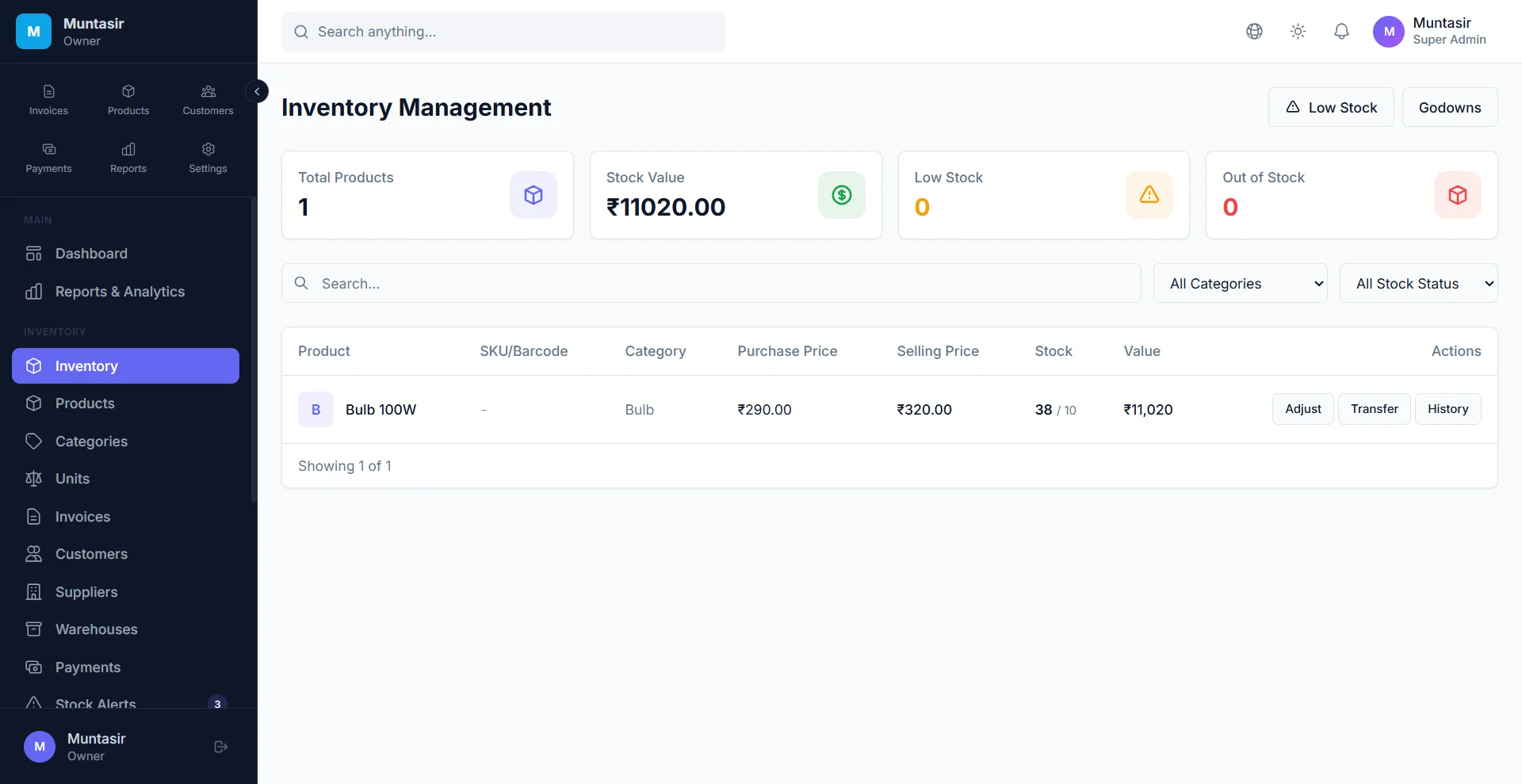
Inventory
What you get
Stock moves with every bill
Sales invoices, cash memos and delivery challans take stock out. Purchase bills and customer returns bring it back in.
Multiple godowns
Choose the godown on each invoice line, check stock godown by godown and transfer stock between them.
Batches and expiry dates
Record batches with manufacturing and expiry dates, and filter the ones that are close to expiry or already expired.
Serial and IMEI numbers
Add serial numbers one by one or generate a series, save the IMEI, and mark each unit available, sold, returned or damaged.
Low-stock alerts
Set a minimum level for each product and see everything that is running low or out of stock in one list.
Adjustments with a reason
Correct stock for damage, expiry or a recount, with a reason. Every movement is kept, so you can trace any difference.
How it works
-
Add your products
Add them one by one, or import a CSV or Excel sheet with opening stock and low-stock levels.
-
Set up your godowns
Create a godown for each shop, warehouse or store room.
-
Bill as usual
Sales, purchases and returns update stock in the right godown as you save them.
-
Check and correct
Watch the low-stock list, transfer or adjust stock, and export the stock list to CSV whenever you need it.
Frequently asked questions
Does stock update automatically when I make a sale?
Yes. Saving a sales invoice, cash memo or delivery challan reduces stock, and a purchase bill or a customer return (credit note) adds it back. Quotations, proformas and purchase orders don’t touch stock.
Can I manage stock in more than one godown or shop?
Yes. Create as many godowns as you need, choose the godown on each invoice line, see stock per godown and move stock between them with a transfer.
Can I track medicines by batch and expiry date?
Yes. Record each batch with its manufacturing and expiry dates, then filter batches that expire within 30 days or have already expired.
Can I import my product list from Excel?
Yes. Import a CSV or Excel file; columns are matched by their headings, including opening stock and the low-stock level. Export your products first to get a file in the right format.
What happens to stock when I cancel an invoice?
Cancelling an invoice puts its stock back, and also reverses the customer’s balance and the accounting entries. Nothing has to be corrected by hand.
Try it free today
The Free plan never expires and needs no card. Set up in a few minutes.
- No credit card
- Free plan never expires
- English, हिन्दी, বাংলা